Part 2: Dynamic Provisioning with a PVC and a Pod
Continuing the CKA prep series with dynamic provisioning. In this blog post, I’ll be creating a PVC and a Pod.
This is a follow-up post from my first blog post in the series:
CKA Prep Series part 1: Creating StorageClasses
Q2. In Namespace storage:
- Create a PVC named
data-pvcrequesting 1Gi with access modeReadWriteOnceusing theretain-storageStorageClass. - Create a Pod named
writerthat mounts the PVC at/data. - Exec into the Pod and create file
/data/test.txton the volume.
Step 1: Create the PVC data-pvc
I like to use:
vi pvc.yamland edit the file with insert from the keyboard.
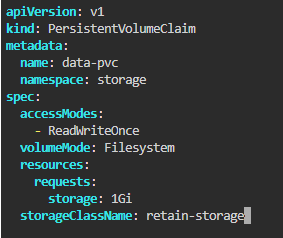
The template should look like this (notice the values from the task):
textapiVersion: v1# <-- important: the task says “In Namespace storage”
kind: PersistentVolumeClaim
metadata:
name: data-pvc
namespace: storage
spec:
accessModes:
- ReadWriteOnce
resources:
requests:
storage: 1Gi
storageClassName: retain-storage
Apply it:
kubectl apply -f pvc.yaml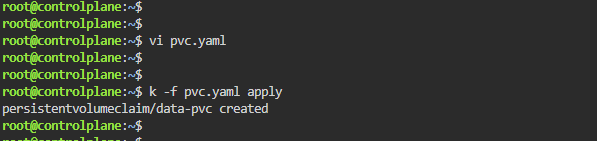
Check that the PVC is pending:

kubectl get pvc -n storageWith volumeBindingMode: WaitForFirstConsumer
This is what you used in your retain-storage StorageClass:
- The PVC will stay Pending even if dynamic provisioning is available.
- The PV is only created when a Pod that uses the PVC is scheduled.
- Binding happens at Pod scheduling time, not at PVC creation time.

When you see data-pvc with status Bound: This means dynamic provisioning created a PV automatically using the retain-storage StorageClass.
Step 3: Create the Pod writer
Again, I use:
vi pod.yamlThe template should look like this:
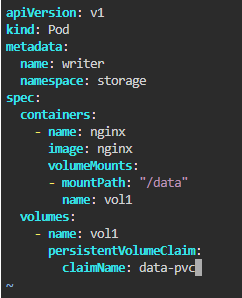
Apply it:
kubectl apply -f pod.yaml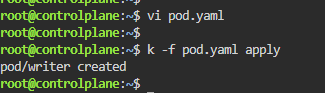
Wait for the Pod to be running:
kubectl get pod writer -n storageStep 4: Exec into the Pod and create a file
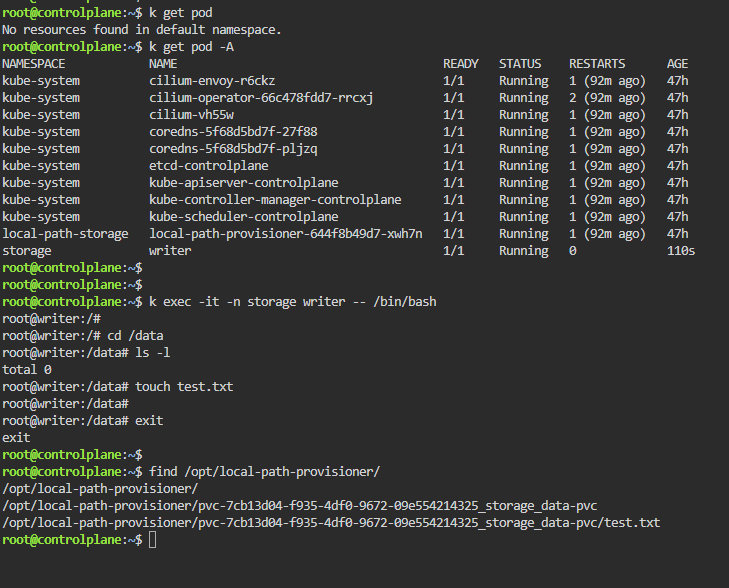
Now, exec into the Pod:
kubectl exec -it writer -n storage --shInside the Pod, create the file:
Option 1 – Using echo
echo "CKA prep test" > /data/test.txtOption 2 – Using cd and touch
cd /data
touch test.txt
Both work; echo also writes content into the file, while touch just creates an empty file.
Verify it exists:
ls -l /data/test.txt
cat /data/test.txt
Exit the Pod:
type exit