The CKA is a practical, hands-on exam. You work directly in a terminal and complete Kubernetes administration tasks on a running cluster.
One tool you should know is Helm, the package manager for Kubernetes. Helm uses charts to package applications and their Kubernetes resources. With Helm, you can install applications, select chart versions, override values, and generate Kubernetes manifests.
This article focuses on a typical Argo CD task. You must add the Argo CD Helm repository, generate a template using a specific chart version, disable CRD installation, and save the generated YAML to a required file.
The example task is:
Add the Argo CD Helm repository as
argo. Generate a template from chart version7.7.3for theargocdnamespace. Configure the chart so that it does not install CRDs, and save the output to/home/argo/argo-helm.yaml
1. Add the Helm repository
helm repo add argo https://argoproj.github.io/argo-helmHere:
argois the local repository name.https://argoproj.github.io/argo-helmis the repository URL.
You can verify the repository:
helm repo listExpected output:
NAME    URL
argo    https://argoproj.github.io/argo-helm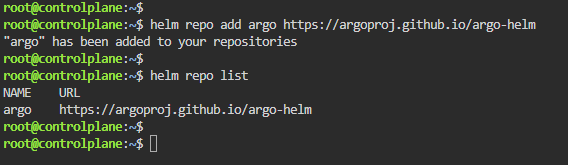
You can search for charts in the repository:
helm search repo argoThe Argo CD chart is:
argo/argo-cd2. Generate the Helm template
helm template argocd argo/argo-cd --version 7.7.3 --namespace argocd --set crds.install=false > /home/argo/argo-helm.yaml
This command does not install Argo CD. It only generates the Kubernetes YAML manifest and saves it to:
/home/argo/argo-helm.yamlCommand breakdown
helm templateRenders the chart without installing it.
argocdThe Helm release name.
argo/argo-cdThe chart name:
- Repository:
argo - Chart:
argo-cd
--version 7.7.3Uses the required chart version.
--namespace argocdGenerates the resources for the argocd namespace.
--set crds.install=falsePrevents the chart from installing CRDs.
> /home/argo/argo-helm.yamlRedirects the generated YAML into the required file.
3. Verify the generated file
ls -l /home/argo/argo-helm.yamlYou can also inspect the generated manifest:
less /home/argo/argo-helm.yamlWhat you should remember
The essential command pattern is:
bashhelm template RELEASE_NAME REPOSITORY/CHART \
  --version CHART_VERSION \
  --namespace NAMESPACE \
  --set crds.install=false \
  > OUTPUT_FILE
For this task:
bashhelm template argocd argo/argo-cd \
  --version 7.7.3 \
  --namespace argocd \
  --set crds.install=false \
  > /home/argo/argo-helm.yaml
And that is essentially all you need for this type of CKA task.
This task is not about configuring Argo CD or creating an application. It tests whether you can follow the requirements, use Helm correctly, apply the requested values, and save the output to the correct location.
With this workflow practiced, the task should be quick and straightforward during the exam. Always read the question carefully, use the exact names and versions provided, and verify that the output file was created successfully.