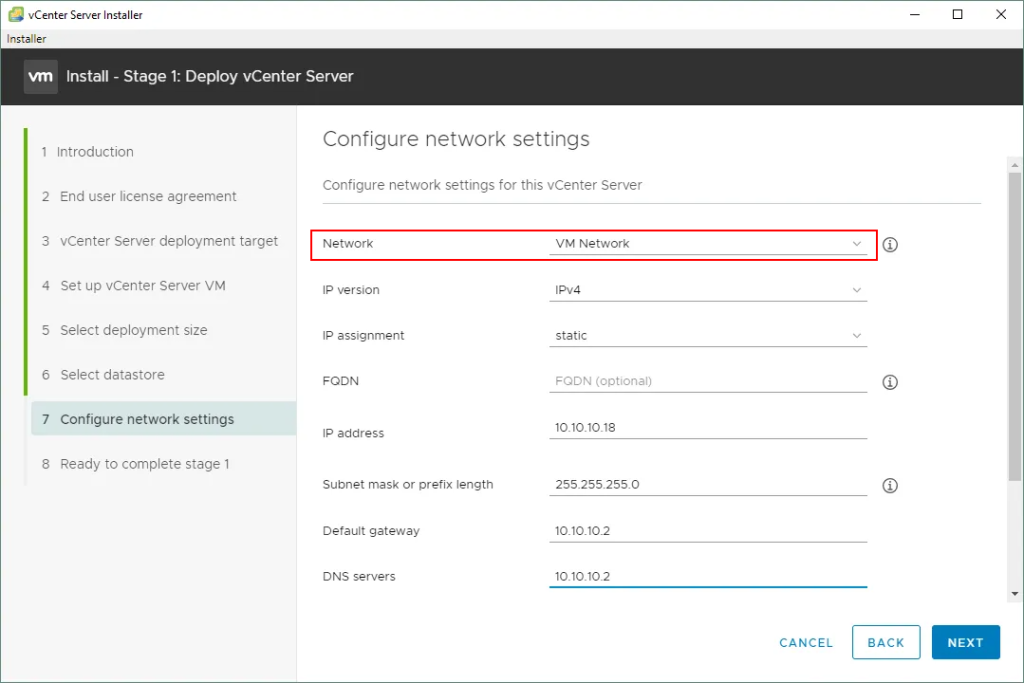
When you deploy a vCenter Server in a vDS-only environment during Stage 1 of the VCSA upgrade, you won’t see any Standard Switch port group options on the network configuration page. That’s expected: in a vDS-only environment you must use an vDS ephemeral port group.
The solution is to create a temporary distributed port group on your existing Distributed Switch:
- Same VLAN as your current vCenter
- Binding type: Ephemeral
- Name: something clear like
vCenter-ephemeralorvCenter-temp-ephemeral
Then select this ephemeral port group for the new VCSA in the upgrade wizard. This lets the new vCenter VM connect directly from the ESXi host without requiring vCenter availability, avoiding the circular dependency where vCenter being down would block network reconnection.
Once the upgrade is complete and the new vCenter is running, you can keep vCenter on this ephemeral port group (best practice for easier recovery) or move it to another port group if you prefer. All workloads stay running during the upgrade; avoid changing port assignments or restarting VMs until the process is fully done.
VCSA stage 1 deployment
- On the network page of the upgrade wizard, you can only select vDS ephemeral port groups for the new VCSA.
- If you’re in a vDS-only environment : you must use an ephemeral port group on vDS.
- If you have a Standard Switch in your environment, the upgrade still works just fine using a normal Standard Switch port group — the “ephemeral-only” rule is only for vDS.